Products
Three tools, shipped
Each one runs on your own computer, opens evidence read-only and leaves a record you can check. How to get a tool
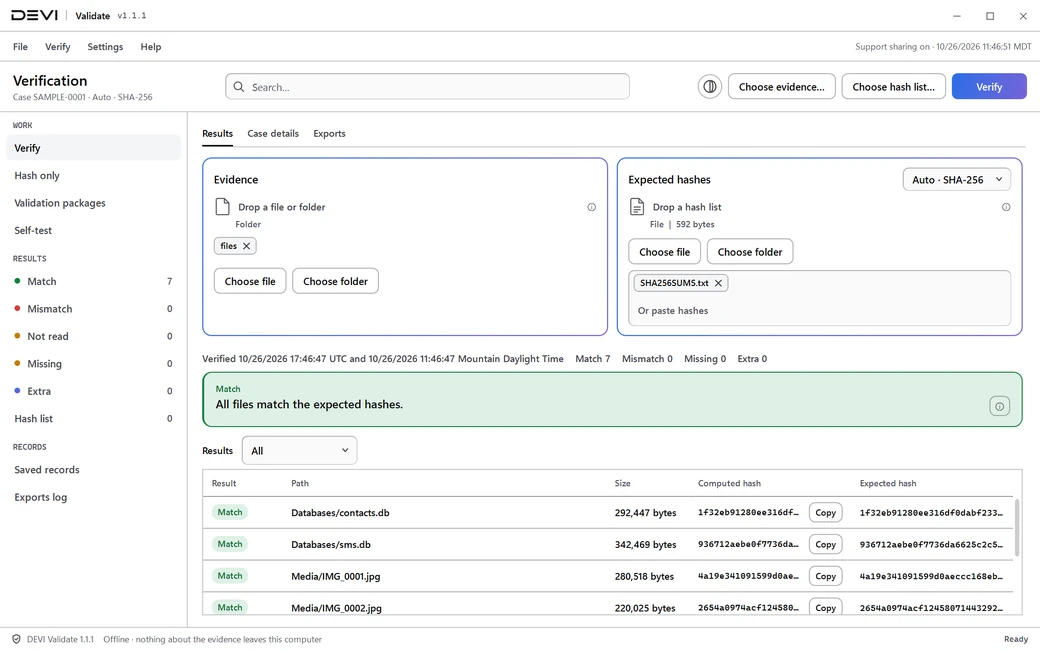
DEVI Validate
Prove the evidence has not changed
Re-hash a file or a whole extraction folder offline and compare it with the hash list another tool wrote down.
- SHA-256, SHA-1 and MD5
- Sum files, CSV files and imager logs
- Match, Mismatch, Missing and Extra, file by file
- A PDF verification record for the case file
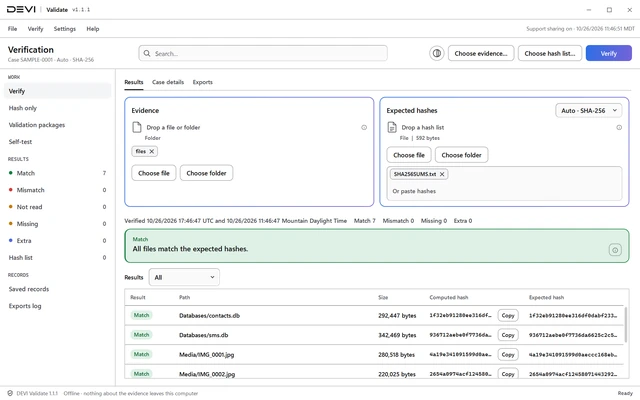
DEVI Decrypt
Open Apple and iCloud returns offline
Decrypt an OpenPGP provider return on the examiner's own computer. The original file is never changed.
- Password-locked or key-locked files
- The key and password are never saved
- The output is hashed and checked
- A PDF verification record of the decryption
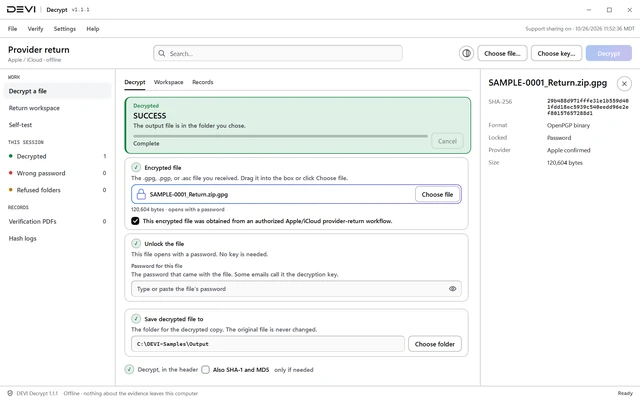
DEVI Registry
Know where an app keeps its data
A sourced reference of app paths, parsers and legal-process contacts, with an offline Windows app to look it up.
- A public source for every claim
- Preservation, emergency and legal-process pages
- How far each claim was checked, and when
- Content-hash checked before a record is shown
DEVI Reader. In private testing. Available by demo.Request a demo
- .jpg
- .png
- CgBI
- .gif
- .webp
- .isdata
- .bmp
- .tif
- .ico
- .car
- .3gp
- .mp3
- .wav
- .txt
- .html
- .glsl
- .pem
- .db
- .sqlitedb
- .db-wal
- .db-journal
- .ldb
- .plist
- .nib
- .abx
- .cbor
- .digests
- TZif
- Tape log
- .zip
- .gz
- .lz4
- Cache marker
- .ufdr
- Raw TAR/ZIP
Pictures, video, audio, documents, databases, app and system files, archives, web caches and phone extractions, opened offline and read-only.
How it works
Three steps. No upload.
01
Open
Open the evidence on your own computer. DEVI reads it without changing it.
02
Check
Verify hashes, decrypt an Apple return, or look up an app. Nothing is sent to DEVI.
03
Record
Keep the result. Validate and Decrypt write a PDF record for the case file; Registry names the source of every claim.
Solutions
Built for the people who stand behind the evidence
Law enforcement labs
Verify, decrypt and document evidence on the lab's own computers.
See how it helpsProsecutors' offices
Records that say what was checked, how, and what the result means.
See how it helpsFederal
Signed tools that run without a network connection.
See how it helpsPrivate practice
The same offline tools and limits, outside an agency.
See how it helps
Security
Your evidence stays with you
Six things that are true of every shipped tool today. No badge, and no certification claimed.
Works offline
Hashing, decrypting and lookups never use the network. The only request is an optional update check.
Evidence opened read-only
DEVI Validate and DEVI Decrypt read evidence without changing it.
Your case data stays with you
Evidence, keys, file names and hashes are never sent to DEVI.
Signed Windows apps
Every app and installer is Authenticode-signed, with a timestamp.
A SHA-256 for every file
Check any download against the value on its tool page.
Approved accounts only
The DEVI Ops Team reviews every account and every tool request.
Questions
Does DEVI see my evidence?
No. The tools work offline on your computer. Your evidence, keys, file names and hashes are never sent to DEVI.
How do I check a download?
Compare its SHA-256 with the value on the tool page, then check its signature. The Trust and Security page shows the commands.
Is DEVI certified?
No certification is claimed. Validate each tool under your lab's procedures.
Who approves access?
The DEVI Ops Team reviews every account and every tool request. We review every request, usually within the same business day.
Get access
How to get a tool
Each approved account gets a monthly allowance that refills each month. Opening and viewing evidence never uses it.
Who qualifies: Verified law enforcement, prosecution, defense and contractor examiners.
We review every request, usually within the same business day. Questions? contact@deviops.app
- Create an account.Sign up at deviops.app with the email you want to use for DEVI.
- Complete your profile.Who you are (law enforcement, prosecution, defense or contractor), your agency or firm, your role, and a supervisor or point of contact.
- Request each tool.Give a short reason and accept the license agreement. Each tool is approved on its own.
- The DEVI Ops Team reviews it.We email the decision to your sign-in address.
Resources
Latest insights
Research with its sources, written for examiners.
Bytes Before Meaning
Reading a file looks like one step. It is several, and each one is an interpretation, from bytes to text to lines to a table.
ReadWhere iMessage and SMS records live
iMessage, SMS, and RCS on an iPhone are reported in one SQLite file, sms.db.
ReadWhat a chat record shows
A chat an examiner reads usually has parties, a body or an attachment, and a time.
Read
Get access
Put DEVI on your own computers
We review every request, usually within the same business day. Verified law enforcement, prosecution, defense and contractor examiners.