Overview
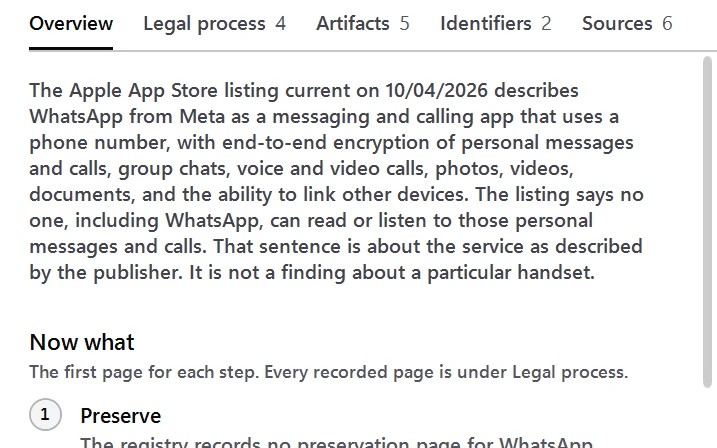
DEVI Registry is a database of application and artifact metadata for examiners. Every record cites the public sources it was taken from and carries a status that says how far the claim was checked. The Windows app answers the question an examiner has on scene or at the bench: found this app, now what.
It is a reference, not a finding about a case. A record says what a cited source says, not what is on a given device or what a provider will produce. Validate it under your lab's own procedures. Nothing in it is legal advice.
DEVI shows its work
Closed commercial tools hand an examiner a parsed answer. DEVI Registry documents the path behind it.
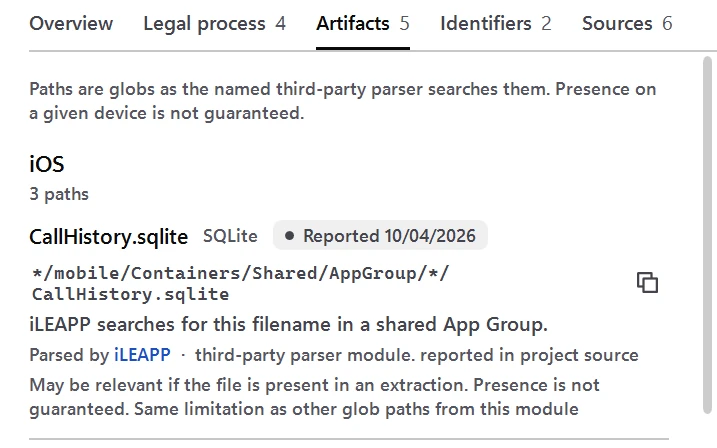
- Where each app keeps its data, by file name and path.
- Which parsers read it, by module name, with their known limits.
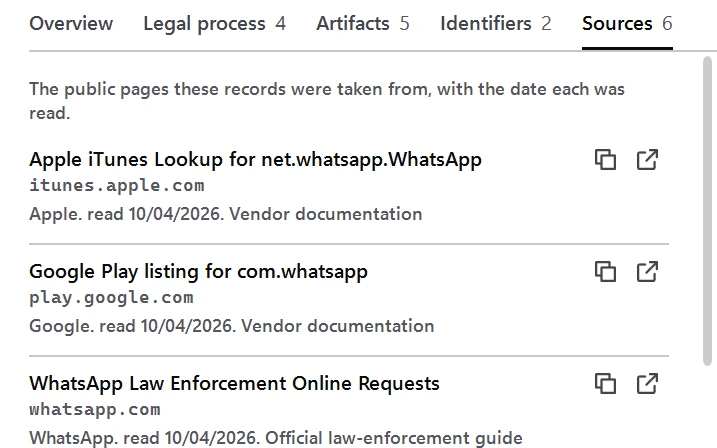
- The public source behind every claim, with the date it was read.
- How far each claim has been checked: verified, reported, or disputed, and what was not checked.
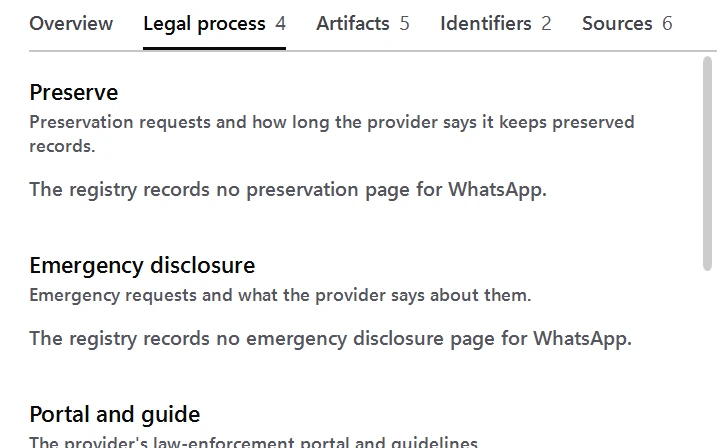
- How to request records from the provider: law-enforcement guides, request portals, preservation, and emergency disclosure.
That is what lets an examiner explain a finding in testimony, and how a newer examiner learns the process behind the result.
Key capabilities
Sourced records
Each record lists its sources by title, publisher, address, and the date each was read.
A status on every claim
Verified, reported, or disputed, with a statement of what was and was not checked.
An offline Windows app
Search by app name, Android package, or Apple bundle ID and get one card: preservation, emergency disclosure, and legal-process links, artifact paths, parsers, and validation status.
Apps and identifiers
67 apps, with Android package names and Apple bundle ids.
Artifacts
File names and paths as public forensic parsers report them, with known limits.
Providers and legal process
Published law-enforcement guides, request portals, preservation, and emergency disclosure pages.
JSON and YAML
The whole snapshot in one file, and one file per record group, in both formats.
Compared with doing it by hand
The same job, done three common ways. DEVI Registry does not replace your lab's procedures; it keeps each step recorded and repeatable.
| DEVI Registry | Searching the web | Your own notes | |
|---|---|---|---|
| A source for each claim | Title, publisher, address, and the date it was read | You keep track | You keep track |
| How far a claim was checked | Verified, reported, or disputed | Rarely stated | Up to you |
| Legal-process pages for the app | Preservation, emergency disclosure, and legal process on one card | Found one page at a time | As current as your last update |
| Artifact paths and parsers | File names, paths, and parser module names, with known limits | Found one post at a time | What you have written down |
| Works offline | Yes, the app and the data | No | Yes |
| A tamper check | Content hash checked before a record is shown | None | None |
How it works
- Download the Windows app or the data zip after you sign in and check its SHA-256.
- In the app, type an app name, an Android package, or an Apple bundle ID. The app works offline and checks the bundled data's content hash before it shows a record.
- For the data, run
python verify_registry.py registry.jsonfrom the unzipped folder. It recomputes the content hash and checks every reference. Look up a record in the JSON or YAML, or load it into your own tools. - Open the cited source before you rely on a record. Pages change after the date a record was checked.
The release covers 67 apps, including the Apple system apps, Google apps, and widely used messaging, social, dating, payment, ride, delivery, gaming, storage, and device apps. The README in the data zip lists every app. No artifact was tested on a device for the registry. Each artifact is marked reported and names the parser module it came from.
Network use
Lookups never use the network. The only request the app makes is the optional update check: an HTTPS request for one signed version file from the DEVI download host. It is sent when you choose Check for updates, or each time the app opens if you turn that on. It is off by default, and it sends no searches.
If you choose to download an update, it starts only after you confirm it, and the app checks its SHA-256 against the signed version file before keeping it. A preservation, legal-process, or source link opens in your browser only when you choose one. This site never receives your searches.
Check it yourself
Each line below points to something you can check on this page or on your own computer.
Signed Windows builds
Authenticode-signed through Microsoft Artifact Signing, with a timestamp.
System requirementsA SHA-256 for every file
Each published file has its SHA-256 on this page, with the Windows commands to check it.
Verify your downloadA check built in
verify_registry.py recomputes the content hash and checks every reference.
Key capabilitiesNetwork use, stated
Offline: lookups never use the network. The only request is an optional update check.
How it worksv1.0.4, dated
Released 10/07/2026. This page shows what changed in it.
What's newYour lab's procedures
Validate it under your lab's own procedures.
Trust and Security
System requirements
| App | Windows (x64). The .NET runtime is included in the download. |
|---|---|
| Network | Not needed for lookups. Used only for the optional update check. |
| Installer | 46 MB, per user, no administrator rights needed |
| Portable zip | 62 MB, no install needed |
| Code signing | Authenticode-signed through Microsoft Artifact Signing, with a timestamp. Windows can still show a SmartScreen warning for a newly signed release; that is reputation, not a failed signature. |
| Data format | JSON and YAML, UTF-8 |
| Data zip | 341 KB, one zip |
| Checker | Python 3.8 or later, standard library only |
| Snapshot | Generated |
Inputs and outputs
| Look up | An app name, an Android package, or an Apple bundle ID |
|---|---|
| Shows | One card per app: preservation, emergency disclosure, and legal-process links, artifact paths, parsers, and validation status |
| Data | JSON and YAML, UTF-8: the whole snapshot in one file, and one file per record group |
| Checks | The app checks the bundled data's content hash before it shows a record |
| Coverage | 67 apps in this release; the README in the data zip lists every app |
Questions
Is a record a finding about my case?
No. A record says what a cited source says, not what is on a given device or what a provider will produce. Nothing in it is legal advice.
Were the artifacts tested on a device?
No artifact was tested on a device for the registry. Each artifact is marked reported and names the parser module it came from.
Can I use the data in my own tools?
Yes. Look up a record in the JSON or YAML, or load it into your own tools. Open the cited source before you rely on a record.
How do I check the data?
Run verify_registry.py from the unzipped folder. It recomputes the content hash and checks every reference.
Download
Downloads are for approved accounts. Create an account, then request this tool from your account; each tool is approved on its own. Tool release alerts start once a tool is approved for your account. You can turn them off any time.
How to get a tool
- Create an account. Sign up at deviops.app with the email you want to use for DEVI.
- Complete your profile. Who you are (law enforcement, prosecution, defense or contractor), your agency or firm, your role, and a supervisor or point of contact.
- Request each tool. Give a short reason and accept the license agreement. Each tool is approved on its own.
- The DEVI Ops Team reviews it. We email the decision to your sign-in address.
- Who qualifies
- Verified law enforcement, prosecution, defense and contractor examiners.
- Review time
- We review every request, usually within the same business day.
- Cost
- Each approved account gets a monthly allowance that refills each month. Opening and viewing evidence never uses it.
Questions
Is there a cost to request a tool?
No cost to request. Each approved account gets a monthly allowance that refills each month. Opening and viewing evidence never uses it.
Why is an account needed?
The tools are licensed to approved examiners only. Your account is how DEVI Ops confirms who you are, records the license you accepted, and checks your approval on every download.
Does DEVI see my case data?
No. The tools work offline on your computer. Your evidence, keys, file names and hashes are never sent to DEVI.
What if SmartScreen warns me?
Check the file's SHA-256 on its tool page first. Windows can still show a SmartScreen warning for a newly signed release; that is reputation, not a failed signature. If it does, choose More info, then Run anyway.
Which Windows versions are supported?
Windows x64. DEVI Validate and DEVI Registry run on Windows (x64), and DEVI Decrypt needs Windows 11 (x64). The .NET runtime is included in each download.
Can I share a license?
No. A license is for you, under the account that was approved. Each examiner requests access with their own account.
SHA-2568080264fc52d5bbc0bf1e43db35b659c69310bb5bbe911e92c95f11e68cbd9b2
Windows Setup installer (win-x64), per user, no administrator rights needed. It bundles the 1.0.0 data. The installer and the app are Authenticode-signed. Check the SHA-256 below before you run it. Windows can still show a SmartScreen warning for a newly signed release; that is reputation, not a failed signature. If it does, choose More info, then Run anyway.
SHA-256c0ea79e9fd6a608f63367de72ffcc22923f110f632bca5db0333bc0a62e990f6
Portable zip (win-x64). No install needed. Unzip the whole folder and open app\DEVI-Registry.exe. The app is Authenticode-signed. Check the SHA-256 below before you run it. Windows can still show a SmartScreen warning for a newly signed release; that is reputation, not a failed signature. If it does, choose More info, then Run anyway.
SHA-25605bfa3dc4bc761c3fe974055c6ef7acd102e16b01836ed8efa36db823e79e0d3
Data zip (JSON and YAML), not a Windows program. Includes a README, the schema, SHA256SUMS.txt, and verify_registry.py. Unzip the whole folder. Check the SHA-256 below before you use it.
Verify your download
DEVI Registry 1.0.4 is published as a Windows app, as an installer and as a portable zip. The data is 1.0.0, one zip of JSON and YAML files. Each file has its own SHA-256. Check the file before you use it.
- Download the file from this page after you sign in.
- Open PowerShell or Command Prompt in the folder that holds it.
- Run one of the commands below and compare the printed hash with the published value.
- If the values differ, delete the file and download it again.
Setup (win-x64)
The published SHA-256 for DEVI-Registry-Setup-1.0.4-win-x64.exe is 8080264fc52d5bbc0bf1e43db35b659c69310bb5bbe911e92c95f11e68cbd9b2. A checksum file is published beside the file.
On Windows, either command prints a hash of the file you downloaded. Compare it with the value above.
Get-FileHash .\DEVI-Registry-Setup-1.0.4-win-x64.exe -Algorithm SHA256certutil -hashfile DEVI-Registry-Setup-1.0.4-win-x64.exe SHA256Windows Setup installer (win-x64), per user, no administrator rights needed. It bundles the 1.0.0 data. The installer and the app are Authenticode-signed. Check the SHA-256 below before you run it. Windows can still show a SmartScreen warning for a newly signed release; that is reputation, not a failed signature. If it does, choose More info, then Run anyway.
Portable (win-x64)
The published SHA-256 for DEVI-Registry-1.0.4-win-x64.zip is c0ea79e9fd6a608f63367de72ffcc22923f110f632bca5db0333bc0a62e990f6. A checksum file is published beside the file.
On Windows, either command prints a hash of the file you downloaded. Compare it with the value above.
Get-FileHash .\DEVI-Registry-1.0.4-win-x64.zip -Algorithm SHA256certutil -hashfile DEVI-Registry-1.0.4-win-x64.zip SHA256Portable zip (win-x64). No install needed. Unzip the whole folder and open app\DEVI-Registry.exe. The app is Authenticode-signed. Check the SHA-256 below before you run it. Windows can still show a SmartScreen warning for a newly signed release; that is reputation, not a failed signature. If it does, choose More info, then Run anyway.
Data (JSON/YAML)
The published SHA-256 for DEVI-Registry-1.0.0.zip is 05bfa3dc4bc761c3fe974055c6ef7acd102e16b01836ed8efa36db823e79e0d3. A checksum file is published beside the file.
On Windows, either command prints a hash of the file you downloaded. Compare it with the value above.
Get-FileHash .\DEVI-Registry-1.0.0.zip -Algorithm SHA256certutil -hashfile DEVI-Registry-1.0.0.zip SHA256Data zip (JSON and YAML), not a Windows program. Includes a README, the schema, SHA256SUMS.txt, and verify_registry.py. Unzip the whole folder. Check the SHA-256 below before you use it.
Inside the data zip, SHA256SUMS.txt lists the SHA-256 of every file, and verify_registry.py checks the records against the content hash in registry.json.
More about publishing and reporting a vulnerability is on Trust and Security.
What’s new
v1.0.4
- Lookups work as in 1.0.3, and the app still bundles the 1.0.0 data. Installed 1.0.3 copies are offered 1.0.4 through Check for updates.
- A text field you are typing in, including the search box, shows one 2px blue-to-purple border, the same colors as deviops.app.
Resources
- One-page sheet (PDF)DEVI Registry on one printable page, in this page's words.
- Tools tourEach tool's four steps, one after another.
- Trust and SecurityHow files are signed and published, and how to report a vulnerability.
- DEVI ValidateProve the evidence has not changed.
- DEVI DecryptOpen Apple and iCloud returns offline.