DEVI Validate
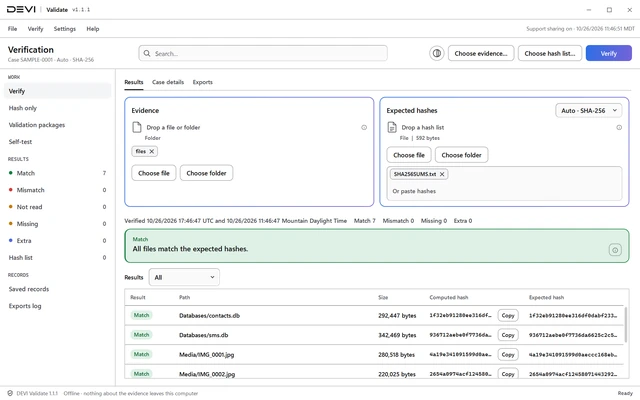
You need to prove evidence files have not changed.
An offline, read-only evidence hash checker.
Choose
Choose the evidence folder and the hash file another tool or process recorded.
Recompute
DEVI Validate recomputes each hash on this computer, offline.
Compare
It compares each new hash with the recorded value and reports Match, Mismatch, Missing, or Extra.
Record
Export the PDF verification record, named by hash, or create a validation package that can be re-verified later.
What you keepA PDF verification record named by hash, or a validation package to re-verify later.
DEVI Decrypt
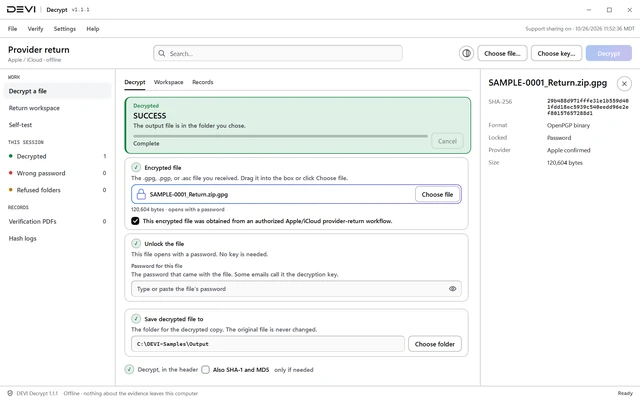
You have an Apple or iCloud OpenPGP return and its key.
An offline Windows utility for Apple and iCloud OpenPGP provider returns.
Load the return
Drop the .gpg or .pgp file, or choose it, and confirm it came from an authorized Apple or iCloud return.
Add the key
Paste the key from the provider's key email, or load a key file, and add the passphrase if needed.
Decrypt and check
Choose an output folder and decrypt. The output is hashed and checked before it is kept.
Record
Export the PDF verification record. If the output is an archive, extract it from the app.
What you keepThe decrypted output, hashed and checked, and a PDF verification record.
DEVI Registry
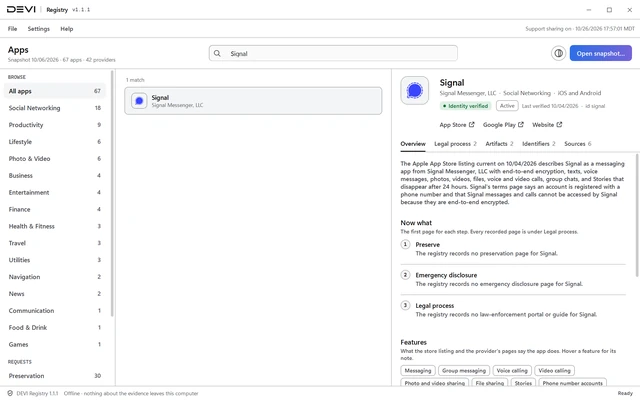
You found an app and need its paths, parsers and legal-process contacts.
A sourced database of application and artifact metadata, with an offline Windows app.
Download and check
Download the Windows app or the data zip after you sign in and check its SHA-256.
Look up an app
In the app, type an app name, an Android package, or an Apple bundle ID. The app works offline and checks the bundled data's content hash before it shows a record.
Verify the data
For the data, run
python verify_registry.py registry.jsonfrom the unzipped folder. It recomputes the content hash and checks every reference. Look up a record in the JSON or YAML, or load it into your own tools.Open the source
Open the cited source before you rely on a record. Pages change after the date a record was checked.
What you keepA record for the app that cites its public sources, checked against its content hash.
DEVI Reader. In private testing. Available by demo. Request a demo
How to get a tool
Each approved account gets a monthly allowance that refills each month. Opening and viewing evidence never uses it.
We review every request, usually within the same business day. Questions? contact@deviops.app